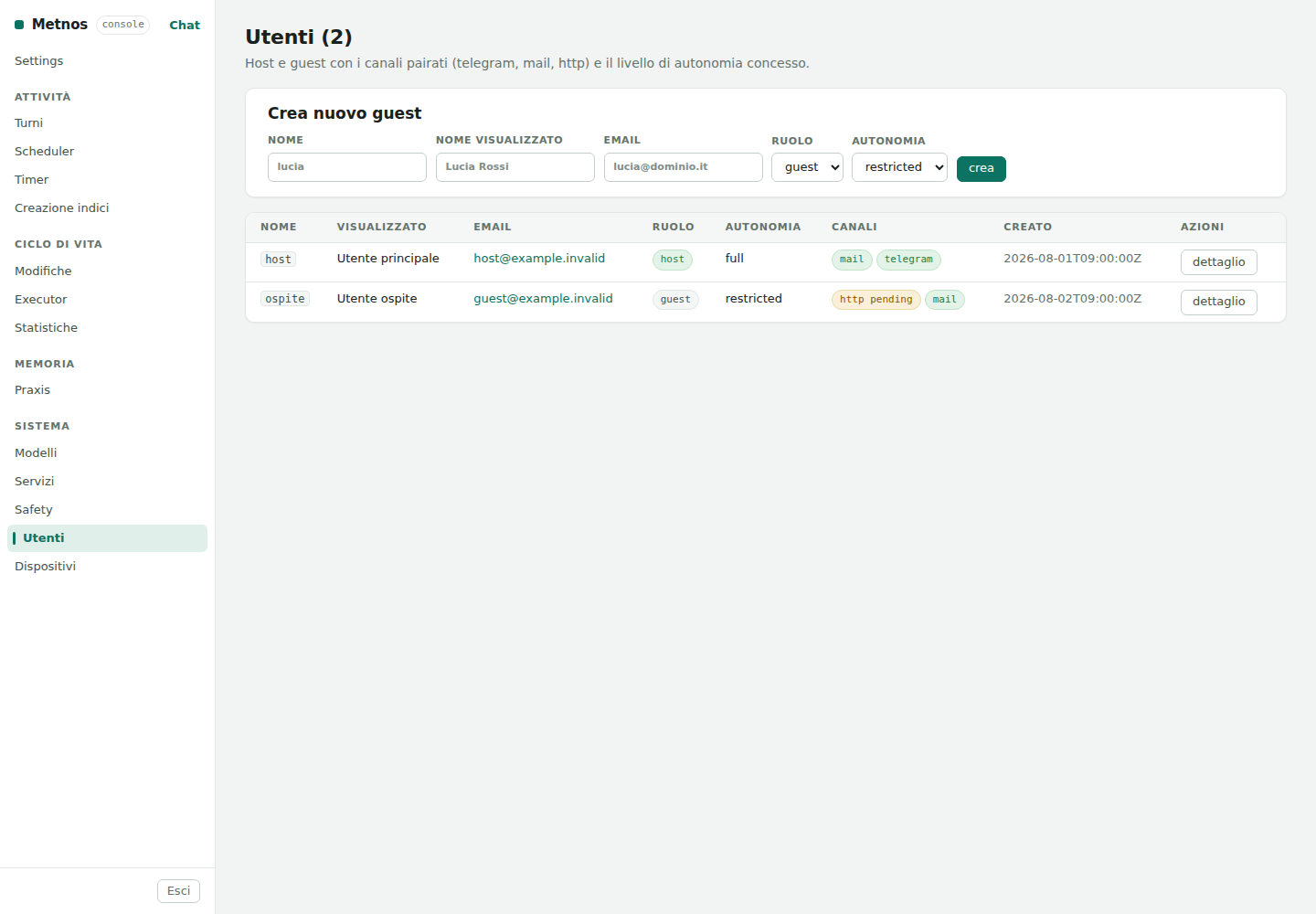
A Metnos user is a stable identity associated with conversations, preferences, channels, devices, and data. The Users page keeps three concepts distinct: the user's role in the instance, their granted autonomy, and the channels through which they can connect.
The host is the instance's primary identity. A guest belongs to a host and is confined to their own scope. A role is not the same thing as autonomy:
| Autonomy | Operational meaning |
|---|---|
restricted | Actions remain tightly constrained, and sensitive operations follow the applicable approval path. |
read_only | The user may inspect data in their scope without introducing operational changes. |
full | The user may use capabilities admitted by their role, policy, and executors; safety prohibitions still apply. |
Grant only what is needed. full is not an absolute pass: data
ownership, signed executors, safety rules, and approval still apply.
HTTP, Telegram, and mail connect an external identity to a Metnos user. The pairing uses a temporary token and must be verified; a pending state means the flow has not finished. Removing a channel revokes that access path without changing the user's identity or merging it with another.
Language is not a per-user preference. It belongs to the Metnos instance. Users of the same instance therefore share its configured language while their data, permissions, and conversations remain separate.
The detail page can update display name, address, notes, and autonomy; pair or remove channels; and list devices owned by the user. Available preferences come from a closed vocabulary: the interface does not accept arbitrary keys.
In the user detail page, the Credentials section lists every credential given to Metnos: sites, mailboxes and services. Passwords and codes are never shown; to delete a credential or an approved address use Settings → Credentials.
A site or a mailbox can have a name and
synonyms, separated by commas. For example, you can call
https://www.telepass.com/ “telepas”, with synonyms “telepass” and
“tolls”; or call a mailbox “work”, with synonym “office”. Names are separate
for each user.
The type column is compact; details distinguish the identifier, username
or login email, and site address. If you have not given a name yet, an editable
suggestion appears: the full domain without www. for a site (for
example example.org), or the mailbox name for mail. The
“Name suggested” note means you need to press Save to register
it. Names and synonyms already saved keep your choices; the
Remove the names button only appears for these.
A name only chooses which site or which mailbox to use: Metnos first understands the request as always, and only when it is about a site or about mail does it use the names to choose. An explicit URL in the request takes precedence. If a site request names two different sites, Metnos asks which one to use. For mail, “read my work mail” uses the mailbox called “work”; when the word is the text to search instead, as in “find the emails about work”, the mailbox stays the one the request chose. When a name is part of a longer name, the longer one counts.
Metnos refuses names that could capture ordinary words: names shorter than three characters or without letters (except IP addresses), and words it already uses to understand requests, such as “mail” or “read”. A name points to one thing only: if it is already used for another site or mailbox, it is not moved and Metnos says so.
Names can also be given while entering the credentials of a site or a mailbox: the form asks, as an optional field, which names you will call it by (the first is the name, the others synonyms). For a site without credentials use Add a site by name: if the name is left empty, Metnos suggests one from the domain without saving anything.
The same section adds and updates credentials. In the row of a site or a mailbox, Update credentials opens the chat's protected form, already filled with the stored non-secret data: passwords and codes left empty keep their stored value, while the usage policy and the addresses already approved do not change. For new credentials use Site credentials, with the site address, or Mailbox credentials, with the mailbox name. The form appears in the page; passwords and codes are typed only there.
Names and synonyms contain no password and grant no extra permission: credential handling, consent, and checks against the actual site remain separate.
Deletion is a lifecycle operation, not merely removal of a row. Metnos stops the active administrator from deleting themselves and protects the sole host. For an eligible user, access and running work are revoked and data is removed through the defined lifecycle.
All personal and timestamp values shown in the image are synthetic.